Step-by-step guide · Actual product workflow
How to Make an Ozil Goal AI Video From Your Photo
Make a 15-second goal video from one photo. Add defender or stadium photos only if you want to customize the scene.
Upload the attacker photo and choose 480p or 720p. Confirm permission, sign in if asked, then select Create video. The action is preset, so you need no prompt or source video. Download the vertical MP4 when the task finishes.
01 · Understand the result
What does the Ozil Goal AI generator make?
The generator makes a 15-second vertical MP4 with a preset goal sequence and generated football sound. The attacker photo guides the main character. Optional photos guide individual defenders and the stadium.
One required attacker photo, up to four optional defender photos and an optional stadium image.
The goal sequence, camera movement, vertical format and generated sound.
The video is AI-generated, not real match footage. Faces, clothing, ball movement and sound can vary. See the template details for the role controls.
02 · Before you start
What photos should you prepare?
Choose a sharp photo with one clear face and a visible outfit. Avoid heavy blur, filters and group photos. The form accepts JPG, PNG and WebP up to 10 MB. It can convert HEIC and HEIF in the browser when supported.
You must be at least 13 to use the service. If you are under 18, you need guardian permission to upload your own photo. Other identifiable people in the photos must be adults who agreed to this AI use. Do not upload a public figure.
| Slot | Required? | What it guides |
|---|---|---|
| Attacker | Yes | The lead who controls the ball and scores. |
| First blocker | No | The first blocker who challenges near the start. |
| Orange defender | No | The defender who challenges and falls around the middle. |
| Purple defender | No | The defender who slides near the goal. |
| Chasing defender | No | The defender who chases the attacker toward the end. |
| Environment | No | The stadium, lighting, crowd and pitch; it does not add a person. |
The four defender slots match the labels in the generator. Each photo guides one role; it does not guarantee an exact likeness in every frame.
03 · Follow the workflow
Make your Ozil Goal AI video in five steps
These steps follow the form on this site. They work in a phone or desktop browser.
- 01
Upload the attacker photo
Open the generator and select one clear photo of the person who will score. Show their face and the outfit you want to use. This is the only required image.
Clear faceVisible outfitOne subjectGood lightSelecting and previewing photos does not spend credits.
- 02
Add optional photos
Open “Customize defenders & stadium” if you want to guide those parts of the scene. Add up to four defender photos and one stadium image. Leave any slot empty for the AI to create it.
- 03
Choose the resolution
Select 480P Standard for 12 credits or 720P HD for 22 credits. The Create video button shows the selected cost. You do not need a prompt.
- 04
Confirm permission and create
Review the photos and tick the permission box. Sign in if asked, then check the form and select Create video. If you need credits, buy a pack and return to submit. Buying credits alone does not start a video.
See the credit packs if your balance is too low. A completed video uses credits even if the result is imperfect.
- 05
Check the task and download
The task keeps running if you leave the page. Return with the same account or open My Creations to check it. When it is ready, play the full video and download the MP4. Do not submit a second task just to check progress.
Open My Creations
04 · After you submit
Check your task before starting another
Sign in with the same account and check the result panel or My Creations. Refreshing an existing task does not submit a new one.
| What you see | What to do |
|---|---|
| Not enough credits | Buy a pack, return to the generator and submit your video. Payment alone does not start a task. |
| Creating your video | Wait or come back later. Check this task rather than submitting a second paid attempt. |
| Your video is ready | Play the full result, then select Download MP4. A completed video uses credits even if you do not like every detail. |
| Video generation failed | The reserved credits are returned. Check your balance before trying again. |
05 · Input and output
One real test, from photo to video
The lead is a fictional grandmother. The portrait below is the attacker input; the image beside it is a frame from the generated video. Watch the full 15-second result to judge the motion and sound.
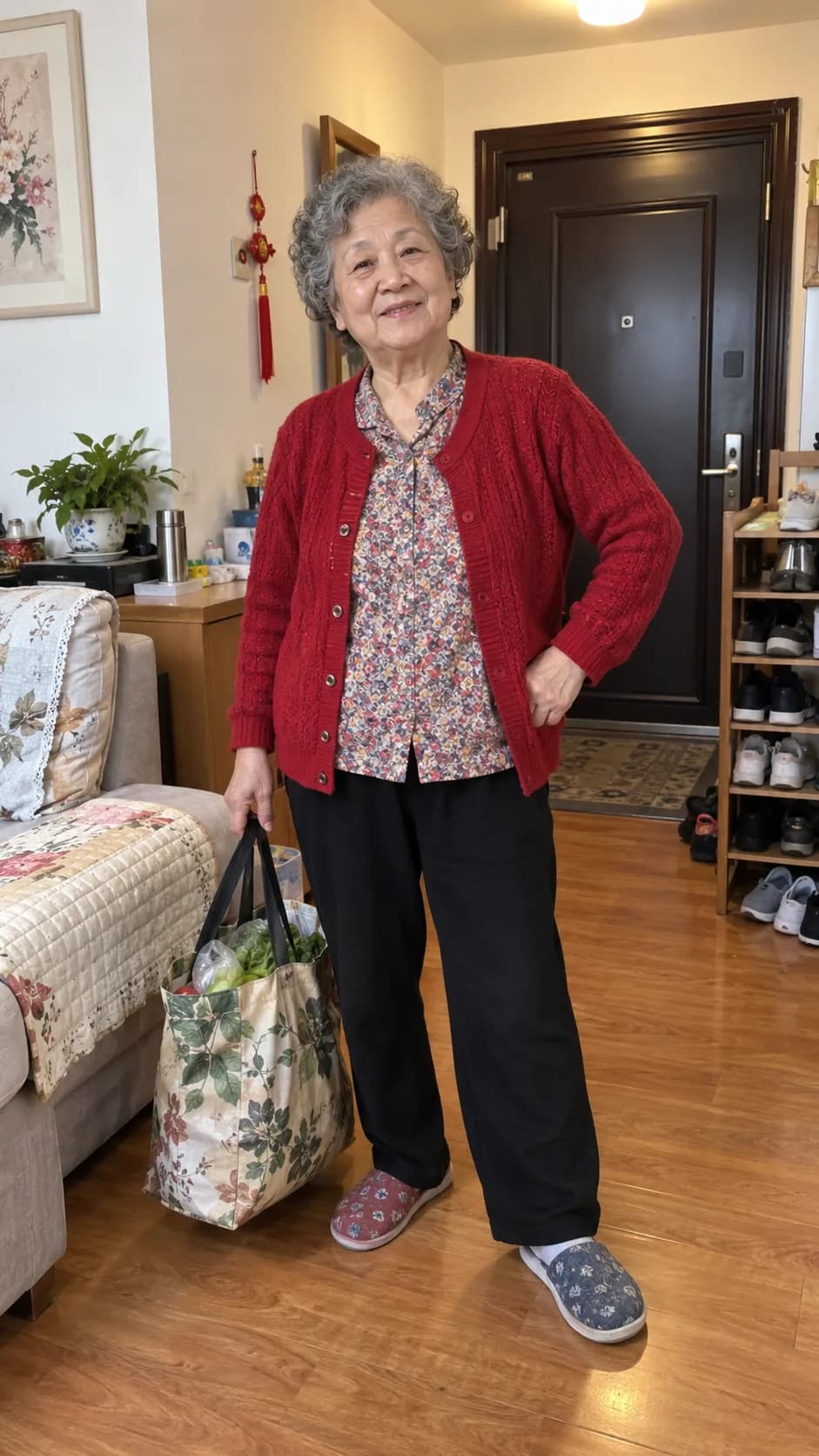
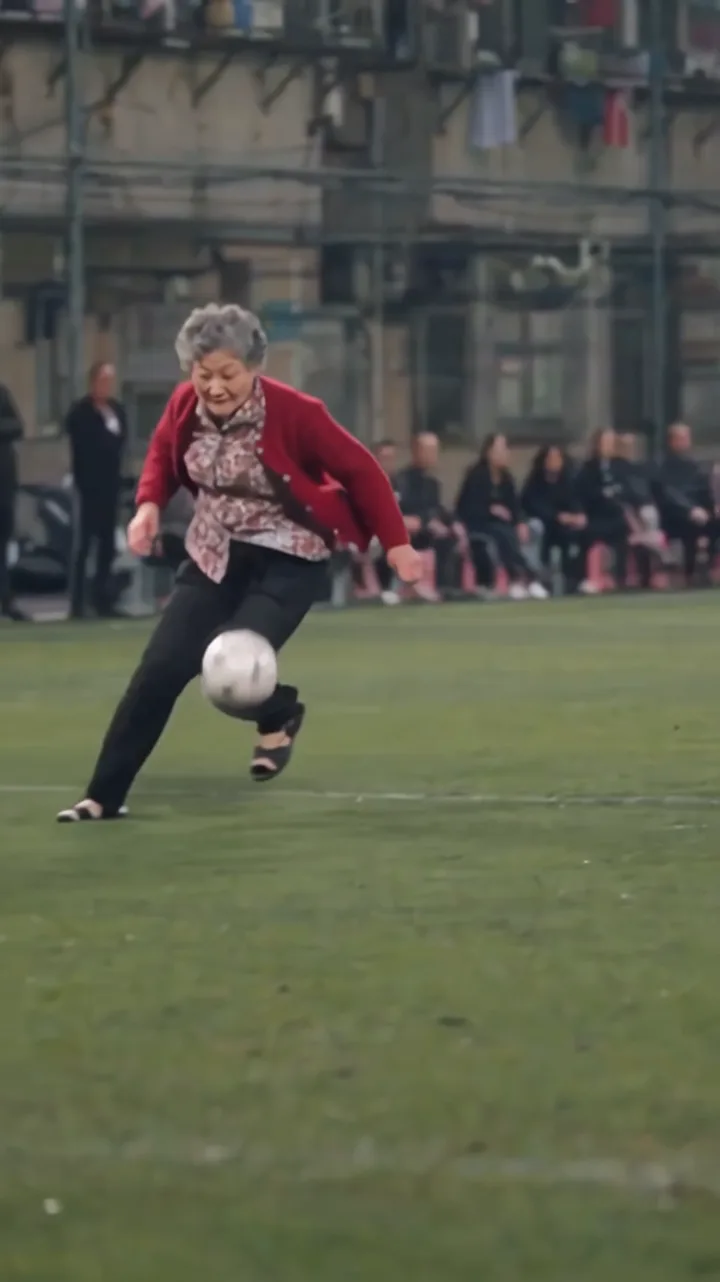
For this test, we uploaded six images: the attacker, four defenders and a community football pitch. We used the site’s prepared action reference and selected 480p. No text prompt was entered. This is a generated test, not a customer video or real match footage.
It shows one possible result, not a success rate or a guarantee. A one-photo submission is possible, but it will not use this test’s extra character and stadium inputs.
06 · Review the result
Watch the whole video before sharing
Check the attacker’s face early and late in the clip. Look for each defender you selected. Near the end, watch the kick and goal view; listen to the sound as well. In our sample, the final action is around 12–15 seconds.
The face changes
Compare the face near the start and later in the run. If it drifts, use a sharper photo with a clear, uncovered face next time. This preset has no face-lock setting.
A defender looks wrong
Check which photo you put in each defender slot. Each slot guides a specific action, but the AI may still change details.
The finish is unclear
Watch the kick and the goal view around 12–15 seconds. The preset guides the action; it cannot guarantee that every ball crosses the line clearly.
The stadium looks different
A stadium photo guides the scene. It does not fix every background detail.
A new take is another paid generation. Check the current file first, then decide whether a different photo or another attempt is worth it.
07 · Quick answers
Common questions
Is one photo enough?
Yes. Only the attacker photo is required. Defender and stadium photos are optional.
Do I need a prompt or CapCut?
No. This generator has a prepared goal sequence. For another video tool, see the prompt guide.
Can I use my phone?
Yes. Use the generator in your phone’s browser. Return with the same account to check the task and download the MP4.
Will an imperfect result return my credits?
No. A completed video uses credits. Failed or blocked generations release the reserved credits.
Download the MP4 before sharing. Label it as AI-generated where the platform asks, and use only material you have rights to share. The video is not real footage or an endorsement by Mesut Özil, Arsenal or UEFA. See our terms and privacy policy.
Your turn
Choose your photo.
Make the goal video.
Start with one authorized attacker photo. Add defenders or a stadium image only if you want to customize those parts of the scene.
Make my Ozil Goal AI video